Photos are easy to take. A useful record is harder.
Your camera roll stores photos. Witnessed creates a record.
Camera Roll
Witnessed
Individual photos
Organized documentation
You decide what to photograph
Structured capture workflow
You interpret the photos later
AI organizes visible conditions
Hard to reconstruct what happened
Condition report
Manual comparison
Comparison-ready baseline
📸
Capture
Document with your phone.
🗂️
Organize
Structured condition report.
📄
Document
Save or share as PDF.
Use cases
Document the moments when condition changes hands.
🏠
Apartment
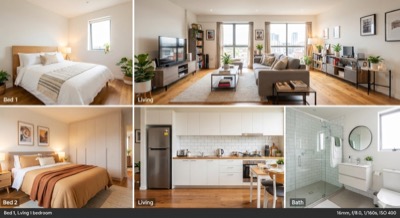
Moving into a rental? Create your condition record before the condition changes.
🏡
Airbnb / Vacation Rental
Checking into an Airbnb? Document what you found when you arrived.
🚗
Rental Car
Renting a car? Document its condition before you drive away.
🔑
Home Viewing
Viewing a home? Keep a visual record of what you actually saw.
⛵
Boat
Renting or handing off a boat? Document its condition before and after.
📦
Storage
Using a storage unit? Record what's there and its visible condition.
How it works
Document it in four simple steps.
01
Choose
Select what you're documenting.
02
Capture
Take photos of the condition.
For rental cars, a guided walkaround keeps you covered.
03
Understand
Witnessed organizes the visible conditions from your photos.
04
Record
Review, save, and share your structured Condition Report.
CHOOSE→CAPTURE→UNDERSTAND→RECORD
Comparison
See what changed over time.
Your original Condition Report becomes your baseline.
For rental vehicles, your original condition report becomes the reference for a guided return inspection. Witnessed matches the vehicle regions so you can review what changed between pickup and return.
Before
Your original condition documentation.
↓
After
Your later condition documentation.
↓
Compare
See differences identified between the two reports.
Your Witnessed account contains condition reports and inspection photos. Once deleted, this data cannot be recovered — not even by Witnessed support. If you may need your documentation later, download your reports before deleting your account.
We recommend downloading your reports if you'd like to keep a copy. You can export your data by logging in at witnessed.nexussentry.ai using a web browser. Exporting is optional and does not affect your ability to delete your account.
✓
Your account has been deleted.
Redirecting…
Using Witnessed
How do I start a new inspection?
Tap "New Inspection" on the home screen and enter the property details. Then add rooms — pre-defined rooms are available to select, or you can add custom rooms — and upload photos for each one. Rental car inspections use a guided walkthrough instead.
Can I add more rooms or re-do a room?
Yes — tap "Add Room" to include additional spaces. You can re-photograph any room before submitting. (Not applicable to rental car inspections, which use a guided walkthrough.)
What happens after I complete the move-in?
Your condition report is ready immediately. Tap "View Report" to review it, then share it as a PDF link.
Reports & Payment
What do I get for free?
Taking photos and completing a move-in walkround is always free. Your first condition report is also free.
How much does a report cost?
Additional condition reports are $7.99 each. A comparison report (move-out vs move-in) is $7.99. You can get a condition report and comparison report together as a bundle for $12.99.
Is payment secure?
Yes — payments are processed by Stripe. Witnessed never stores your card details.
Can I get a refund?
Reports are generated instantly and cannot be refunded once purchased. If you have an issue with your report, contact us and we'll review it.
Account & Data
Do I need an account?
No — you can complete an inspection as a guest. Create a free account to save inspections and access them across devices.
How do I delete my account?
Go to Settings → Delete Account. This permanently removes all your data.
Document your rental, home, vehicle, or property before the condition changes.
First report free · No password required
Available on iOS and Web
Frequently asked questions
What is Witnessed?
Witnessed turns photos into structured condition reports. It organizes the conditions visible in your photos so you can review, save, and share the resulting report.
Do I need to download the app?
No. You can use Witnessed on the web at witnessed.nexussentry.ai. A native iOS app is also available on the App Store.
Can I use Witnessed for Airbnb?
Yes. Use it to document the property's condition when you arrive and/or before you leave.
Can I use Witnessed for a rental car?
Yes. Witnessed guides you through a vehicle walkaround, verifies each capture, and lets you compare the vehicle at return with your original Condition Report.
Can I export my report?
Yes. Reports can be exported and shared as PDFs.
Can I compare two reports?
Yes. A Comparison Report can compare later documentation with an earlier Condition Report.
Is my information private?
Your photos and report data are stored securely and used only to generate your documentation. You can delete your account and all associated data at any time. We do not sell your data to third parties. See our Privacy Policy for full details.
How much does it cost?
Your first Condition Report is free. Additional Condition Reports are $7.99 each. A Comparison Report is $7.99. You can get a Condition Report and Comparison Report together for $12.99.
To download all your reports, log in at witnessed.nexussentry.ai using a web browser.
Delete Your Account?
This will permanently delete your Witnessed account, all inspection records and photos. This action cannot be undone.
We'll send a verification code to your email address to confirm.
Enter Verification Code
A 6-digit code was sent to your email. Enter it below to confirm permanent deletion.
Didn't receive it?
🤖
AI Photo Analysis
Witnessed uses third-party AI services to analyze inspection photos and generate your condition report. Your inspection photos will be shared with these service providers for this purpose.
Photos are processed for analysis only and are not used to train AI models.
Your inspection photos are stored in Witnessed as part of your condition record.

 Take Photos